Top 13 Google Analytics Tools & Software Platforms

Google Analytics becomes far more useful when paired with the right supporting tools. The best Google Analytics tools and software platforms can help you clean up tracking setups, improve campaign reporting, work with GA4 data, and identify issues affecting consent and data quality. In this article, we’ve rounded up the tools that help marketers, analysts, and technical teams get more reliable results from their analytics work.
13 Best Google Analytics Tools
Consent Mode Monitor
Consent Mode Monitor helps teams verify that Google Consent Mode has been properly configured across a website or a GTM container. It flags tags with missing or invalid consent settings, so you can see where tracking behaviour may not match the consent choices accepted by the users.
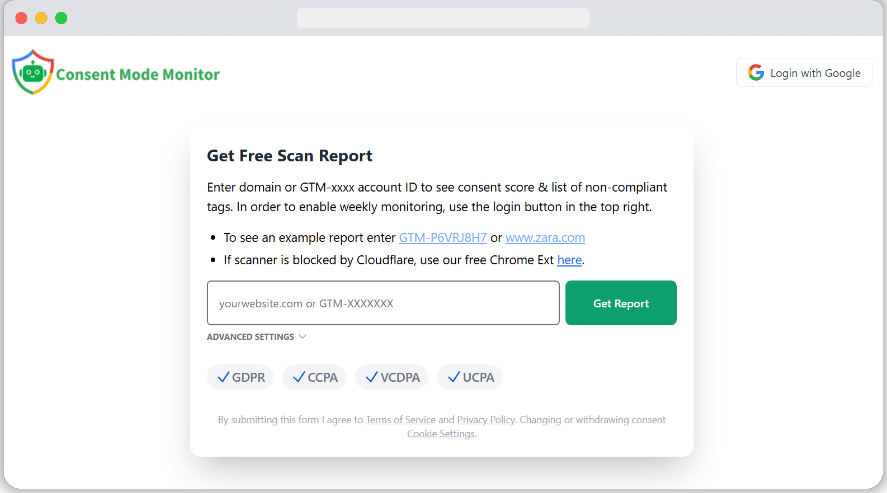
This tool also helps you act on those issues. On paid plans, it can create a new GTM workspace with consent-related fixes ready for review. That saves time when you need to clean up a broken setup.
GTMcleaner
The first thing we do for our clients is go through their GTM containers to clean and standardise them. This involves many steps that can be boiled down to:
- Optionally removing unused tags, triggers and variables.
- Enables built-in variables and five recommended variables.
- Creating a Google Analytics settings variable and referencing this from all GA tags.
- Implementing a standard naming convention.
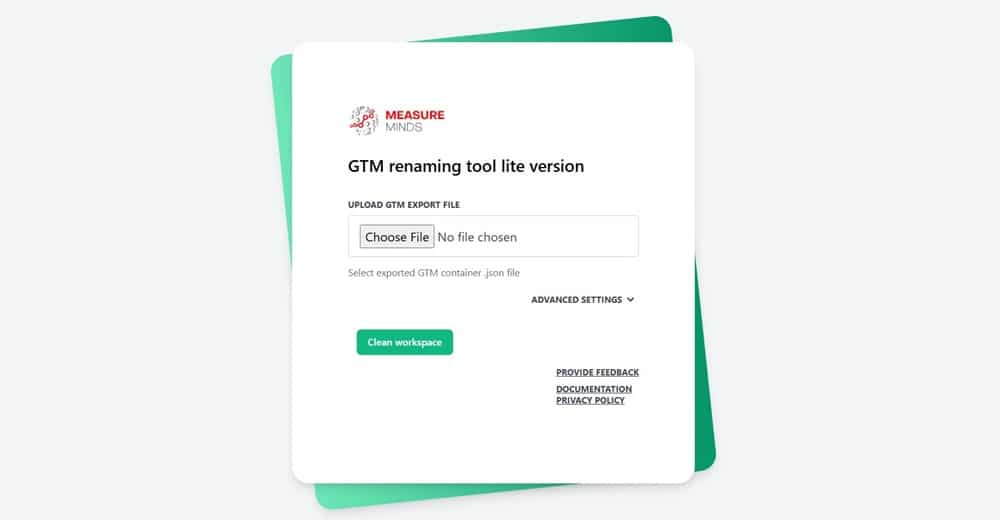
GTMcleaner does all of this for you! Now you can standardise your GTM container in minutes with the click of a button. This is all done in a new workspace so you can revert back to your old setup if you don’t like the end result. It’s a perfect tool to use when you first get a client.
Uplifter
Uplifter is a link management platform that helps you build, track and manage UTM parameters, branded shortlinks, branded QR codes, and pretty much any campaign-style link you can think of.
I highly recommend this software for teams managing multiple campaign links simultaneously. Governance and taxonomy are key to healthy data. Uplifter’s software automatically corrects errors and allows admins to set a taxonomy for the rest of the team to use. You’ll never have to worry about whether it’s actually going to show in reporting again!
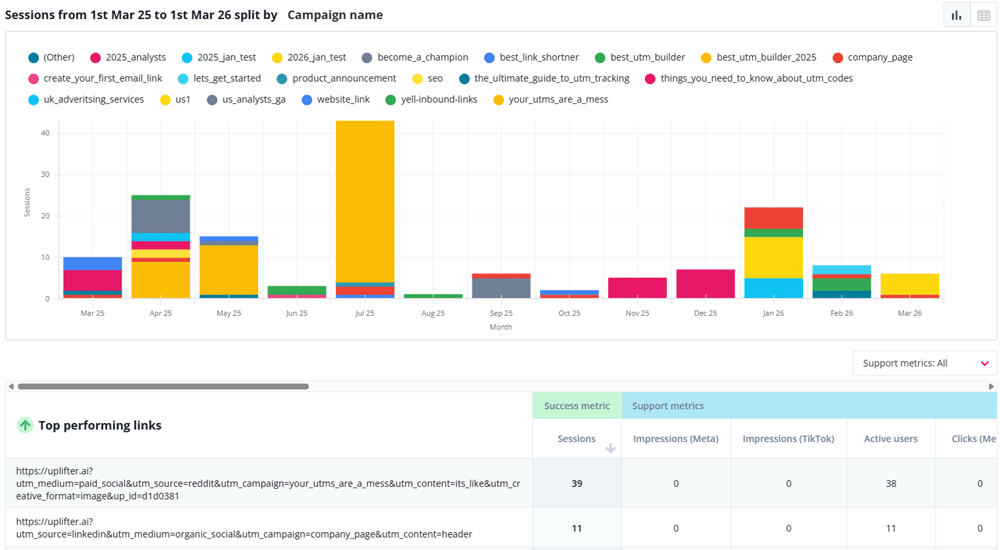
Uplifter also has its own reporting dashboards, which really simplify reporting on different campaigns.
Screaming Frog
Screaming Frog is a multi-purpose tool that should be familiar to most SEO and marketing professionals. It has features that can help with all kinds of SEO and analytics. The Screaming Frog SEO Spider is perhaps the best-known of those features. It’s invaluable for crawling site URLs and auditing technical SEO, amongst other things.
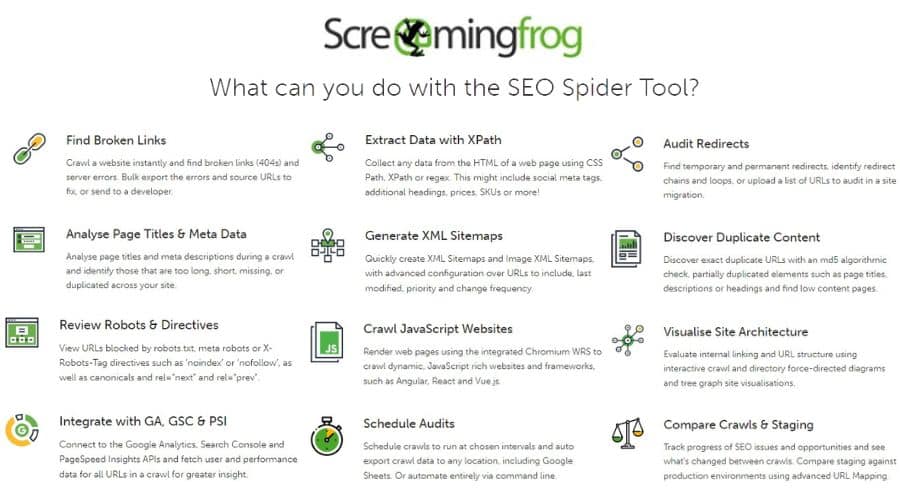
The Screaming Frog tool can also be customised in a variety of different ways. For instance, you can alter certain settings to use it for reading data layer values. You can configure the tool to check for GTM tags and ensure their triggers have unique variables. That helps you make sure you’re not firing tags for buttons or links you don’t wish to track.
Campaign URL Builder
All digital marketers know the importance of tracking campaigns. It’s the way to assess what’s working, what’s not and what improvements you can make. It’s quite straightforward to track custom campaigns via Google Analytics, but it’s not without its pitfalls. There are sometimes instances where those campaigns are tracked without custom parameters.
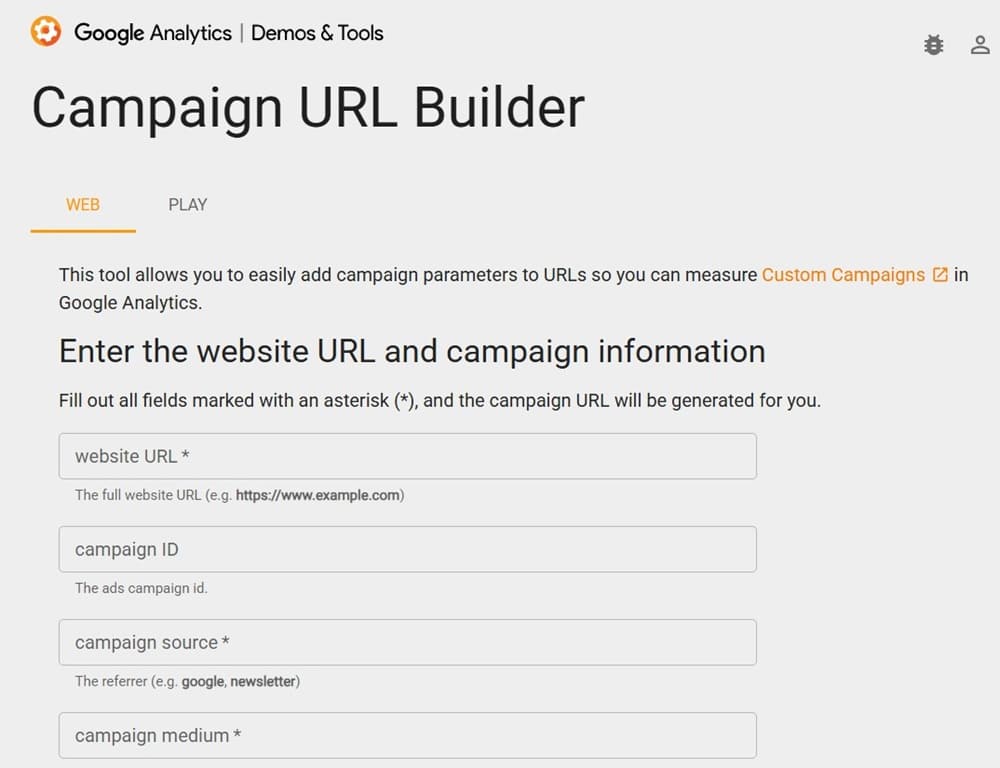
That’s where the handy Campaign URL Builder tool comes in. It’s a useful GA4 tool that lets you easily add those campaign parameters to your URLs. On top of that, it also gives you greater control and flexibility as regards what data you’re measuring. That means you can perform unique, efficient campaign tracking through Google Analytics with ease.
RegExr
Regular expressions are an important element of Google Analytics. They’re used to match patterns within text.
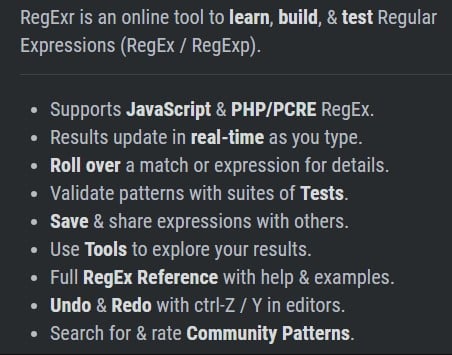
In the context of Google Analytics, that’s most useful for filtering. For example, regular expressions can be used to:
- Apply report filters
- Set up conversions
- Define funnel steps
- Set up segments
The problem with regular expressions is that they can be a little complex. At first look, they have the appearance of an algebraic equation. RegExr is a site where you can learn, build and test regular expressions. That means you can ensure that they work properly before transferring them to your site.
RegEx Expresso by Ultrapico
While we’re on the subject of regular expressions, it’s worth mentioning RegEx Expresso by Ultrapico. It’s a handy tool that does much the same job as RegExr. You can use it to learn to develop and build regular expressions for use within Google Analytics.
RegEx Expresso provides a toolbox of features to make building regular expressions easier. As we talked about above, those regular expressions can then be used for all kinds of functions within Google Analytics.
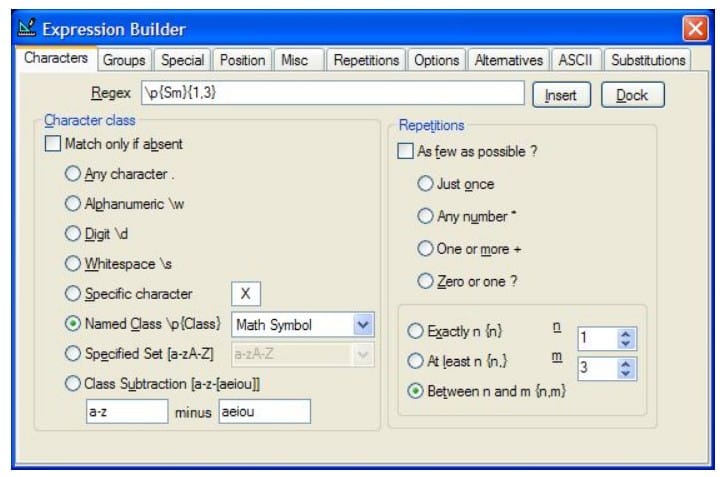
The tool also allows testing of replacement strings and the generation of code. That makes it handy for general web development, as well as being one of the top tools in our Google Analytics tools list.
Supermetrics
The Google Analytics spreadsheet add-on isn’t your only option for linking Google Analytics and Google Sheets. Many people prefer Supermetrics for the same job. Supermetrics bill themselves as the ‘#1 reporting automation tool for PPC, SEO, social, and web analytics’.
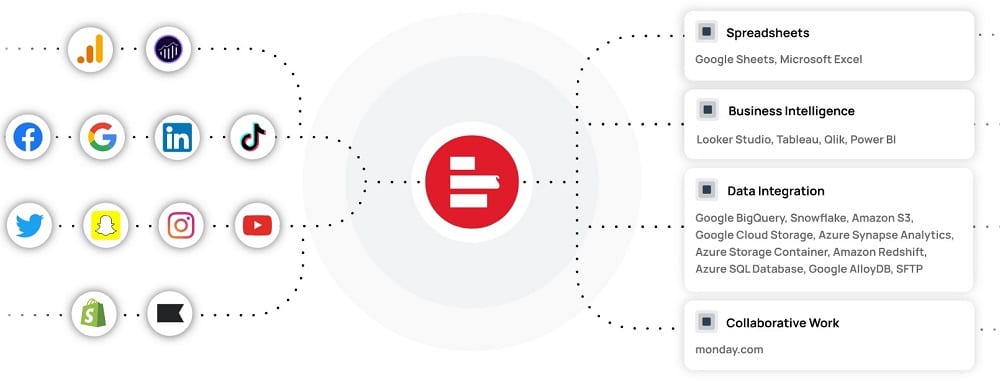
There is both a free and a paid version of Supermetrics. The paid version holds a number of advantages over its free counterpart. It lets you connect to a range of data sources, not just Google Analytics. It also doesn’t limit your number of queries per day or rows per query.
GTMSpy
It’s always a good idea to keep an eye on what your competitors are doing. GTMSpy is designed to let you ‘spy’ on how another company has structured its GTM containers.
To use the tool, just pop over to GTMSpy. You can then enter whichever URL or GTM ID you desire into the dialogue box. Clicking the ‘Lookup Container’ button will then provide you with insight into the container’s structure. As well as keeping track of competitors, the tool also lets you look at your own containers from a different perspective.
This doesn’t need to be narrowed down to competitive intelligence though. It can be used for prospecting potential clients. If you can find an issue with their container and provide the solution, that could be your way into a retainer!
GTM Tools by Simo Ahava
This is another of our top Google Analytics tools developed by Simo Ahava. It’s one of the key elements of his GTM Tools selection. GTM Tools contains a raft of different elements, which include:
- Container Cloner – Copy a container from one account to another
- Tag Cloner – Copy tags from one container to another
- Rule Cloner – Copy rules from one container to another
- Macro Cloner – Copy macros from one container to another
- Container Visualizer – Draws a pretty visualisation of a container, showing the links between different assets (tags, rules, macros)
GA4 Query Explorer
The GA4 Query Explorer is one of the specialised tools in the Google Analytics Developer Tools list. It lets you craft API queries to retrieve user data from your Google Analytics 4 account. By crafting custom queries, users can delve deeper into their data, offering insights beyond the standard GA4 interface.
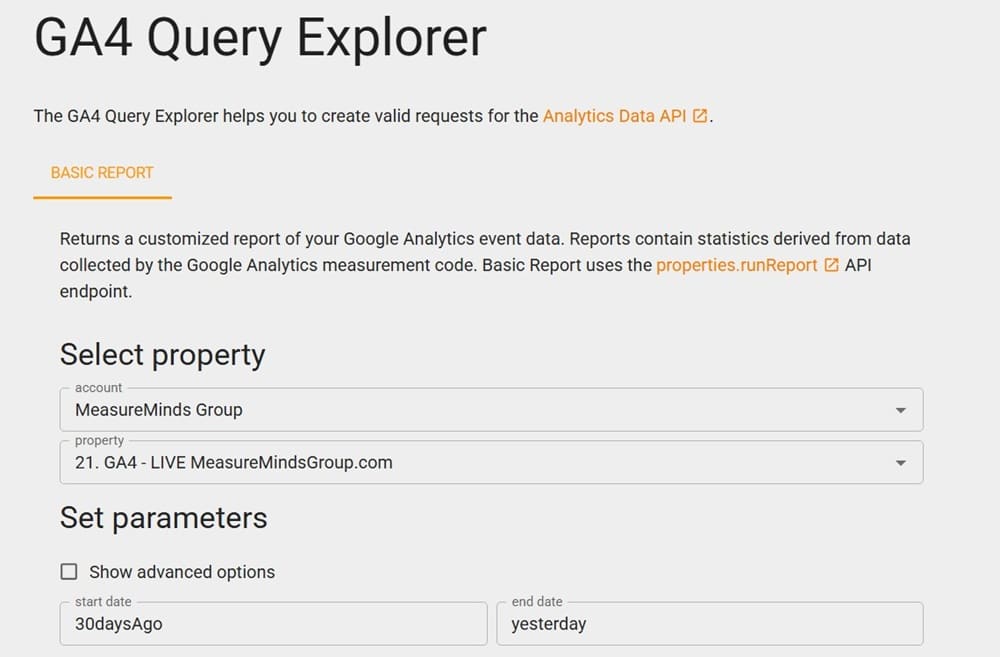
This tool is a game-changer for those seeking precision in their reports. It allows for advanced filtering, segmentation, and automated data connections, ensuring personalised insights for marketing dashboards.
GA4 Metrics Explorer
This is another built-in feature of Google Analytics that performs a simple yet really handy role. The GA4 Metrics Explorer (AKA GA4 Dimensions and Metrics Explorer) lists and describes all dimensions and metrics available through the core reporting API. It then lets you explore them by feature or search for whichever specific dimension or metric you desire.
Perhaps most usefully, the tool can also be used to see which dimensions and metrics can be combined in the same query. This is handy for any non-expert Google Analytics users who may not know that not all dimensions and metrics can be combined. This tool will show you the results straight away.
GoogleAnalyticsR
GoogleAnalyticsR by Mark Edmondson is an R library for working with Google Analytics data. R is a popular programming language used extensively for statistical computing. It’s a powerful tool for analysing and drawing insights from data.
Mark Edmonson’s library makes it easier to combine R with Google Analytics data. That means you can more easily perform statistical analysis on the data and create visualisations from it. In turn, that provides a better understanding of your customers, SEO strategy and business as a whole. If you want to learn more about using googleAnalyticsR, this article is a great resource.
Wrapping Up
There is no single tool that covers every part of Google Analytics work. Some help with reporting, some with GTM setup, some with campaign tracking, and others with consent checks or data quality reviews. The right mix depends on where your team spends the most time and where mistakes are most costly.
If your tracking setup has grown messy or you are unsure where issues sit, a proper audit is often the best place to start. MeasureMinds Group helps businesses review Google Analytics, Google Tag Manager, and consent setups, then turn those findings into a cleaner measurement plan.
- Top 24 Google Analytics Chrome Extensions & Sheets Add-ons - 21/05/2026
- Best Consent Management Platforms (CMP) - 19/05/2026
- Google Signals and Consent Mode: What This GA4 Change Really Means - 23/04/2026
Thank you for putting all these great tools together.
Great article, Phil..
Useful roundup Phil, only had about half of those in use, so will need to test a few more if they fit my client needs.
Great overview Phil,
Scitylana Google Analytics ETL Tool – Levels the field between GA Free and GA 360
Excellent rundown! I am going to come back to this post.
Awesome, comprehensive & useful list. Thanks for sharing those gems Phil.
Minor input: Simo’s GA Validator add-on doesn’t have the “hit” term in it (not “GA Hit Validator”). It’s Indeed more focused on the GA account/prop/view hierarchy, with a (nice!) way to check if a customDim index received hits over the last 7 days.
Minor typo… however and considering the usefulness of this list, you might want to fix that 🙂
Thank you, amazing list! Cheers
I suggest Project Andromeda: https://projectandromeda.io
It’s a GTM suite tool 🙂
I used to love “In-Page Analytics by Google” but it doesn’t seem to be working any more, no matter which account I login from, which browser, and have turned off ad blocking (in case that’s an issue). Is anyone else finding this to be true?